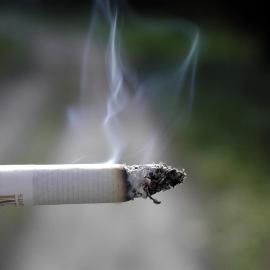
How to Ease Data Collection Challenges
To get reliable, credible answers to concerns about the proliferation of tobacco product waste, the California Tobacco Prevention Program with the California Department of Public Health (CDPH) needed a scientific monitoring method. SFEI helped to develop such a method several years ago. And thanks to a continuing engagement with CDPH, the partnership has now yielded a mobile application that can collect detailed assessments.
Background
What is the TPW App?
The TPW mobile app is a tool designed to make tobacco and nicotine trash data collection easier, more consistent across TPW campaigns, geographic differences, while conducted in a scientifically valid way. The app is based on the survey methods and protocol in the California Trash Monitoring Methods and Assessments Playbook, which was developed by San Francisco Estuary Institute (SFEI) to ensure comparable information across different geographies, time, and practitioners.
What is the Dashboard?
The accompanying data dashboard allows users to view and explore the data collected through the app. You can see local data, trend information, and data submitted by other CTPP-funded groups across the state.
How was the App Developed?
The development process included ongoing engagement with Local Lead Agencies (LLAs) and partners in tobacco prevention who advance TPW policies from 2023 to 2026. Feedback was gathered during TPW Community of Practice (CoP) meetings as well as smaller, app-focused meetings and discussions.
Guidance on Using the App
Access and Availability
CTPP-funded LLAs and competitive grantee (CG) projects conducting TPW cleanups can request access beginning April 1, 2026. However, there are a limited number of licenses for the app. Initially, app access will be granted on a case-by-case basis, limited to CTPP projects conducting cleanups through September 2026. Access will be granted on a quarterly basis thereafter. Feedback is encouraged during the initial phase of the app launch.
How to use the App to Aid your TPW Cleanup
The app and dashboard will aid in developing comparable data for educating decision makers on the amount and type of TPW in community locations such as beaches, rivers, parks, main streets, etc. App users should be thought of as the Data Recorders for TPW cleanups. Data recorders can be paired with data observers wherein they record the TPW data that observers are finding.
Alternatively, recorders can input the data after observers conduct their scans, such as from paper forms observers used to assess TPW. Both scenarios would reduce the number of data recorders per cleanup therefore reducing the number of requests for access to the TPW app thus allowing more app users across the state.
Requesting Access to the App
- Requests should be made one month before your planned TPW cleanup to ensure access is smooth and methodology training is complete. (See training guide below.)
- Requests should be made by CTPP-funded project staff only to CTPP Staff.
- The Access Request Form will be emailed and requires the following:
- name of the account (i.e. user’s full name or device name i.e.OrgNameIpad1, OrgNameIpad2, OrgNameGoogletablet1, etc.)
- email for the account (i.e. email for who should receive the account
access information) - Whether or not the request is for Dashboard access only (i.e. app access not needed, research purposes)
- affiliation or organization (i.e. LLA name such as Santa Cruz County, CG name)
- requesters email if different than the account email, (i.e. volunteer email)
- role for the account
- Organizer (manager/supervisor/administrator/director/lead staff)
- Staff (field technician/specialist, etc.)
- Volunteer
- Other
- purpose of the account (i.e. name of TPW campaign or cleanup event)
- required access start date (i.e. a few days prior to your cleanup event)
- required access end date (optional) (i.e. the day your cleanup event ends)
- note: account will remain active for account roles except volunteers
- additional notes (anything we should know not already captured)
- CTPP-funded project staff will email the completed form back to CTPP Staff at least two weeks prior to the planned TPW cleanup.
- Once approved, users will receive an invitation email from California Department of Public Health (CDPH) within 10 days and steps to use multifactor authentication to enter the app.
- Once the event is complete, volunteer accounts will be closed and others will remain active, due to the limited number of licenses available.
Training & Troubleshooting
- Quick-Start Guides:
- TPW Monitoring App Quick Start Guide: This guide is designed to swiftly acquaint users with the operation of the App, condensing the information into a few pages.
- TPW Method Quick Start Guide: This document aims to reacquaint monitoring practitioners with the Tobacco Product Waste Monitoring Method or data collection method developed for CDPH / CTPP in 2020.
- User Guide:
- TPW Monitoring App User Guide: This is the more exhaustive user guide for the mobile app and dashboard, summarized by the TPW Monitoring App Quick Start Guide.
- Video Demonstrations:
- A video demonstration is available for those who prefer visual instruction.
- Technical Assistance for the App and Dashboard:
- Troubleshooting will be facilitated by SFEI. Issues can be directed to [email protected]
Additional Information
Tobacco Control Evaluation Center (TCEC) offers a tablet lending program. If device access is an issue, please consider requesting their devices via email [email protected]
The Center for Tobacco and the Environment (CTE) at the University of California San Diego offers a free and publicly available iKickButts app in the Google Play and Apple Store. You can contact them about the app through this email [email protected]
Frequently Asked Questions
General Concerns
- Q: How do we get access?
-
A: The steps are outlined above. The process might be further optimized in the future.
About the Mobile App
- Q: Is this app available on my computer?
-
A: No, it is for mobile devices since it is designed for the field. However, the dashboard is available on any CDPH-account-enabled computer
- Q: How is this app different from iKickButts?
-
A: This is based on the CTPP-sponsored methodology for measuring TPW. Its distinguishing feature is its geospatial components that allow for TPW concentration measurements across various geographies. Also, data collected via this app will be collected and shared on the Data Dashboard for broader use, analysis, and reporting.
- Q: What is a campaign, and must I use it?
-
A: A campaign is a way to “group” related assessments together. This might refer to assessments that share a common purpose, geographical focus, or funding source. It is not necessary to use campaigns to organize your assessments, but they can be helpful when facilitating analysis and reporting in the dashboard, since you can filter using campaigns.
- Q: Can my entire team use the app?
-
A: Aside from the organizational lead, the app is best for data collectors, ideally in a team configuration. Too many data collectors can result in duplicate data, so there should be one recorder per team. However, the entire team can access the data dashboard.
- Q: If I am using a device without cellular service – such as on a wifi-based iPad – can I still use this app?
-
A: Yes, just be sure to build or identify your assessment area via the map prior to leaving your wifi connection. After your fieldwork and you reconnect to wifi, your collected data will be uploaded to the cloud.
- Q: How many assessments may I store?
-
A: As many as you wish.
About the Dashboard
- Q: Does the Dashboard show only my organization’s data or data from all orgs?
-
A: It contains data from all orgs, but can be filtered to show a single org's data.
- Q: Will my organization’s contributions be represented in the data?
-
A: Yes, if you collect data.
- Q: What if I need a different data visualization not shown on the Dashboard?
-
A: There are two ways to do this.
- You may filter and download the data through the Dashboard and then visualize your data on Excel, Tableau, or any tool you are comfortable with. And/Or...
- You may request an enhancement at [email protected] and it will be considered for future development.
About the Project
- Q: How were the requirements for the app and dashboard determined?
-
A: There were a series of meetings that we call "needs assessments." From there, we developed functional requirements that were reviewed by the Community of Practice. This occurred over the course of several years due to funding and budgetary complications.
- Q: Will SFEI continue to develop the app in the future?
-
A: The app is designed to be delivered to CDPH so that any contractor or CDPH itself can continue to develop it in the future.
- Q: Will a brief video tutorial be available in the future?
-
A: Yes. it will be included in both a longer demonstration, and it will be shared as a standalone 7-min video on this page, https://sfei.org/tpw-app. All videos, and the method tutorial itself, can be used to aid in instruction.



Other Individual Contributors

As municipalities and water-quality regulatory agencies have implemented programs and policies to improve management of the trash loading to storm drain conveyances, there has been increased interest in using a common set of methods to quantify the effectiveness of management actions.
Trash has received renewed focus in recent years as policy makers, public agencies, environmental organizations, and community groups have taken many steps towards trash quantification and management across California.

Measuring Tobacco Product Waste Via a New Mobile App
Tobacco product waste—particularly cigarette butts, wrappers, filters, and electronic cigarette parts—are among the most common forms of environmental litter. SFEI developed and adapted methods for tobacco product waste monitoring as a mobile app for easy use with the California Department of Public Health.